Evidence-linked extraction
Click any value to see the exact region of the document it was read from, with the confidence score and any competing interpretation.
Acctora reads invoices, credit notes and debit notes, runs the arithmetic checks a reviewer would run, and routes anything doubtful to a person — with the source document pinned to every field. Whether you do your own books or run them for clients.
Built by an accountant. The review and export gates follow how accountants actually sign off work — not what was easiest to automate.
14 days free. No credit card required — you're processing invoices in about two minutes.
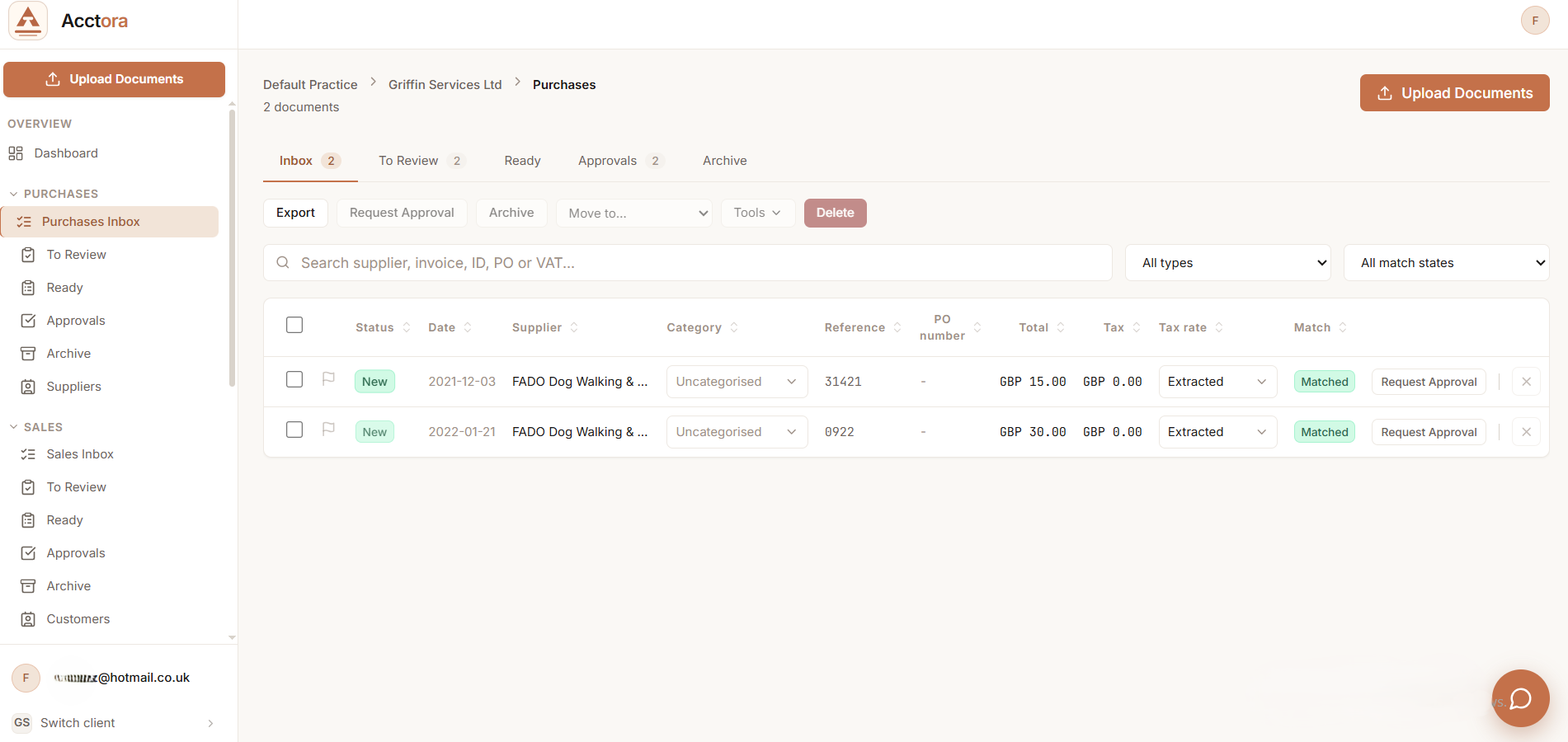
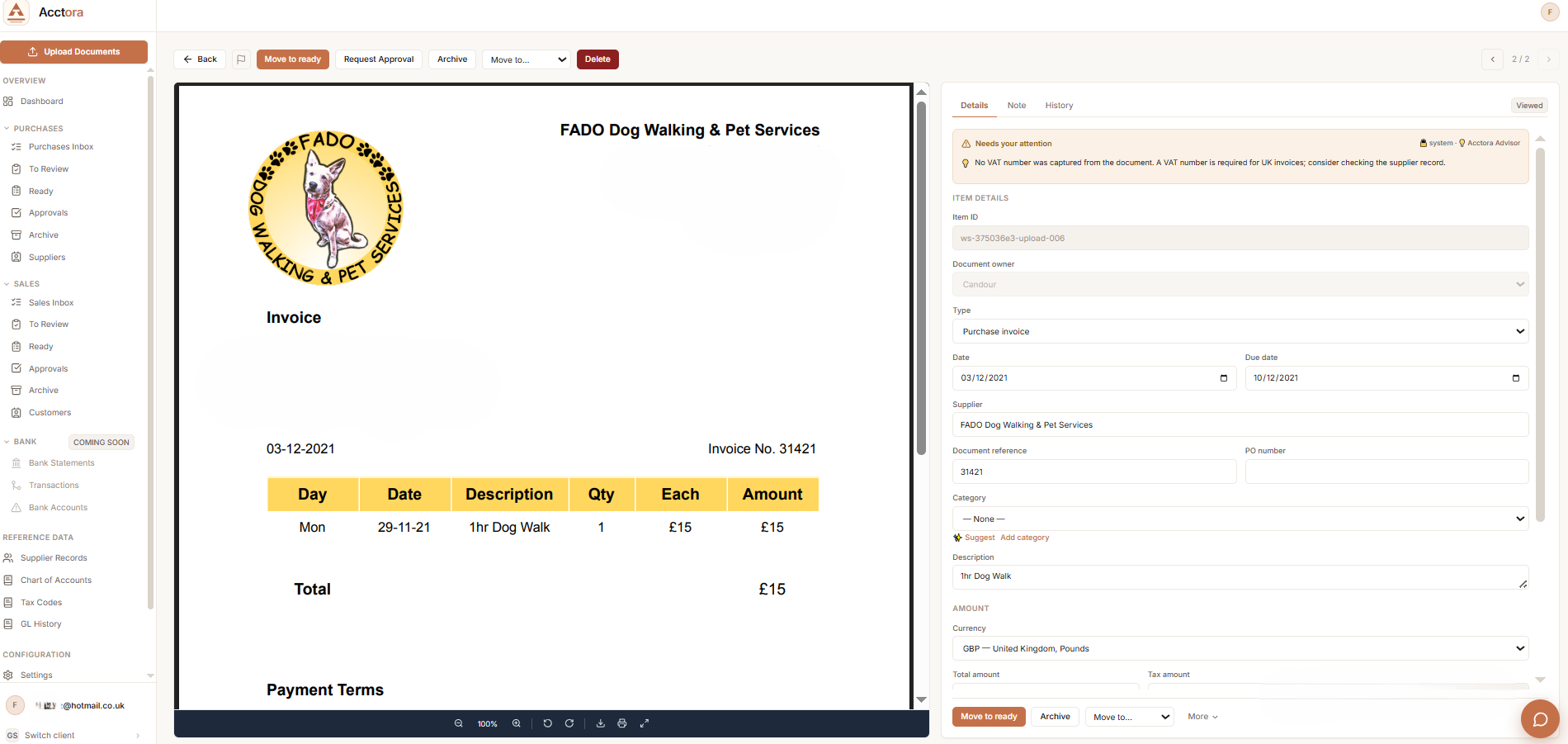
Invoices, credit notes and debit notes land in one document inbox — uploaded, emailed in, or dropped from cloud storage.
Totals, VAT, duplicates and supplier matches are checked with rules you can read. The same document always gets the same answer.
Anything ambiguous goes to a reviewer with the reason stated — never a silent guess. Corrections are logged, not overwritten.
CSV or JSON is generated only after the sign-off gate closes, and it carries the decision trail with it.
Run client purchase ledgers through a queue that shows extraction evidence, exception reasons and export readiness — before anything leaves the workflow.
Practice and bookkeeper workflowSend supplier documents into an accountable process and see what's waiting, what's ready, and what a person still needs to look at.
The business view14-day free trial, no credit card. Already in the hands of practising accountants ahead of launch; keep every export whatever you decide.
Every extraction shows its source. Every validation names the check it ran. Every export records who approved it and why — so the file you send onward is one you can defend.
Held items always state their reason. Clearing one logs your decision.
4 in queueEach feature exists to answer a reviewer's question — where did this number come from, what was checked, and who agreed?
Click any value to see the exact region of the document it was read from, with the confidence score and any competing interpretation.
VAT arithmetic, duplicate detection and supplier matching are rule-based checks you can open, read, and adjust. No hidden heuristics.
Set approval thresholds by amount, supplier or document type, and route exceptions to the right person in the practice automatically.
Every CSV or JSON export carries its decision trail — who approved each document, when, and what evidence they saw at the time.
Corrections you make teach Acctora each supplier's layout, so the same mistake doesn't come back next month.
Each client gets isolated documents, supplier lists and approval rules. Switching clients never mixes their ledgers.
Drop the day's client documents in. Extraction runs while you clear yesterday's queue.
Clean documents line up as ready. Exceptions arrive already labelled with what tripped them.
You spend your time on the ambiguous supplier names and odd VAT treatments — the part that needs an accountant.
Close the gate, generate the file, and the audit trail travels with it.
Practising accountants are running Acctora on real client work ahead of launch. We track three numbers — and we'll publish results only once they've been earned.
Minutes spent per invoice before and after Acctora, measured on the same client ledgers.
How many documents genuinely needed a person, and whether the stated reasons held up.
Errors the gate stopped that would previously have reached the ledger.
Free for 14 days on your real documents with your review rules — no card details. If the numbers don't move, that's your answer, and ours.
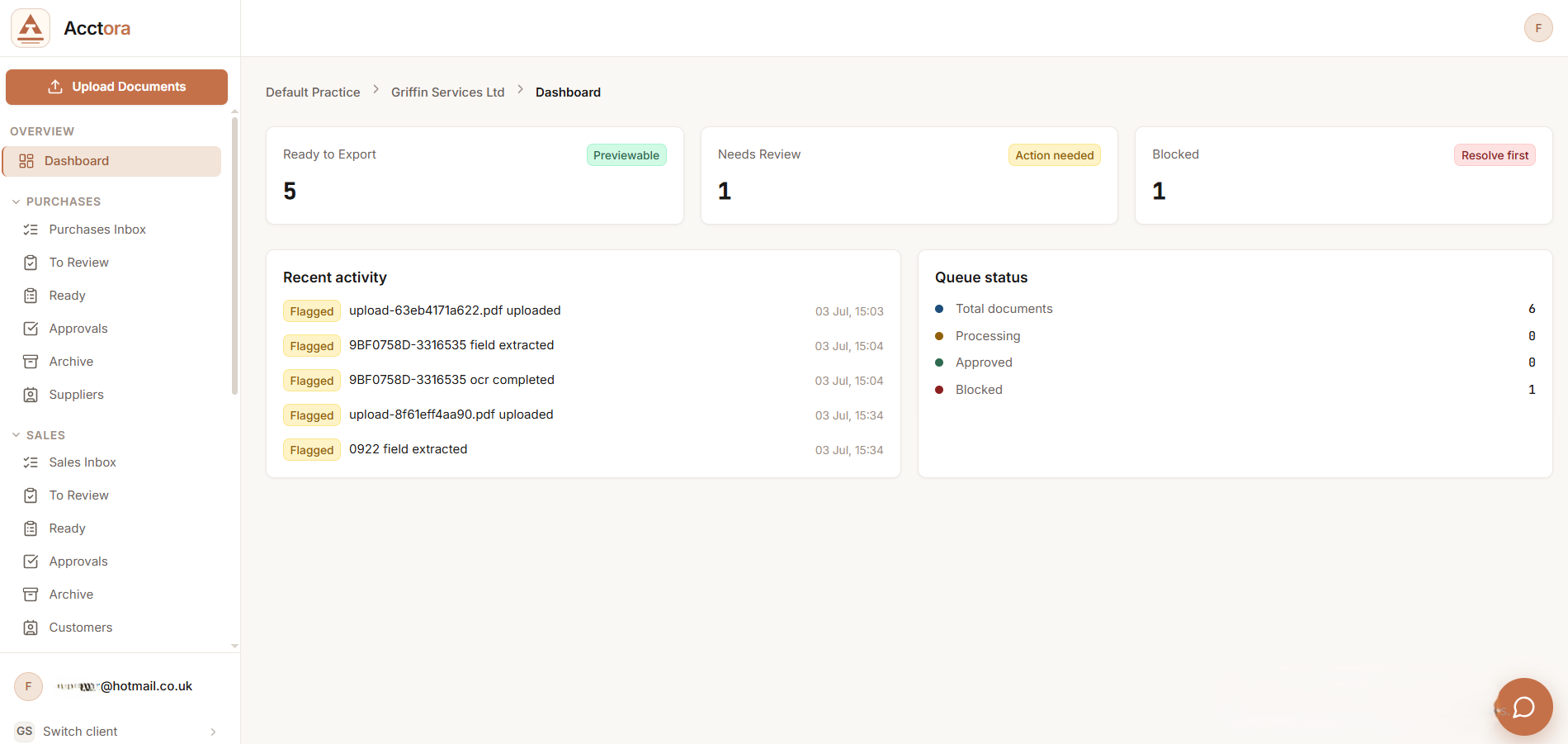
No more wondering whether an invoice was received, checked, approved or exported. Acctora shows each document's position in the pipeline — and who it's waiting on.
Every stage is visible to you and your bookkeeper — the same screen, the same truth.
Drag and drop, forward by email, or connect cloud storage. PDFs, photos and scans all land in the same inbox.
See processing, held, approved and exported counts at a glance — instead of chasing your bookkeeper for updates.
Every document keeps its history: when it arrived, what was checked, who approved it, and when it left.
The same pipeline serves both sides. Start the free trial yourself, or introduce your practice and we'll get you both set up.
We publish guides when they're finished, not before. Here's what exists, what's in draft, and what's planned — honestly labelled. Ask for any of them and we'll send the draft.
Setting up a workspace, connecting a document inbox, and running your first batch through the review queue.
The full list of deterministic checks — VAT arithmetic, duplicate detection, supplier matching — and how to adjust their thresholds.
Column-by-column specifications for the CSV and JSON exports, including the decision-trail fields.
Direct integrations are on the roadmap; today, exports are CSV/JSON built to import cleanly. This guide ships when the integrations do.
REST endpoints and webhooks for pushing documents in and pulling evidence-linked results out. Available to trial accounts now.
Want a draft early? Everything marked “in draft” can be shared as-is — imperfect but useful. Tell us which one and we'll email it over.
Request a draftAsk directly — while we're this early, questions are answered by the person who built the thing.
Every plan includes evidence-linked extraction, deterministic validation, human sign-off gates and CSV/JSON export — and starts with a 14-day free trial. No credit card required.
For small practices processing up to 500 documents a month.
For growing practices with multiple clients and higher volumes.
For large practices and businesses with bespoke requirements.
Accounts created before launch keep these prices for 12 months, whatever they become later.
Seven days, full access, no card details asked. Upload your real documents, run your own review rules, and export everything. At the end you pick a plan — or walk away with your exports and your audit trail.
Yes — upgrade or downgrade any time. Changes take effect at your next billing cycle, and nothing about your data or history changes with the plan.
Yes. Annual billing works out to two months free — use the toggle above to compare. You can switch between monthly and annual from your account settings.
You export everything — documents, extracted fields, and the full decision trail — in CSV and JSON. Your account data is retained for 30 days after cancellation, then deleted.
Today, exports are CSV and JSON designed to import cleanly into Xero, QuickBooks and Sage. Direct integrations are on the roadmap; we'd rather ship them properly than list logos early.
Real documents, real checks, no card required — set up in about two minutes. If it doesn't earn its keep, you'll have the numbers that say so.
The current legal pages remain available here: